Every patch change, right on time.
MyPatch reminds you of every application, change and removal of your birth control patch — Evra, Apleek and similar. A progress ring shows where you are in your cycle and whether you’re protected; the calendar and diary keep track of the rest.
Free to start · Premium optional · iPhone with iOS 17 or later
Built around your patch week
Six things MyPatch takes care of, so the patch can stay out of your head.
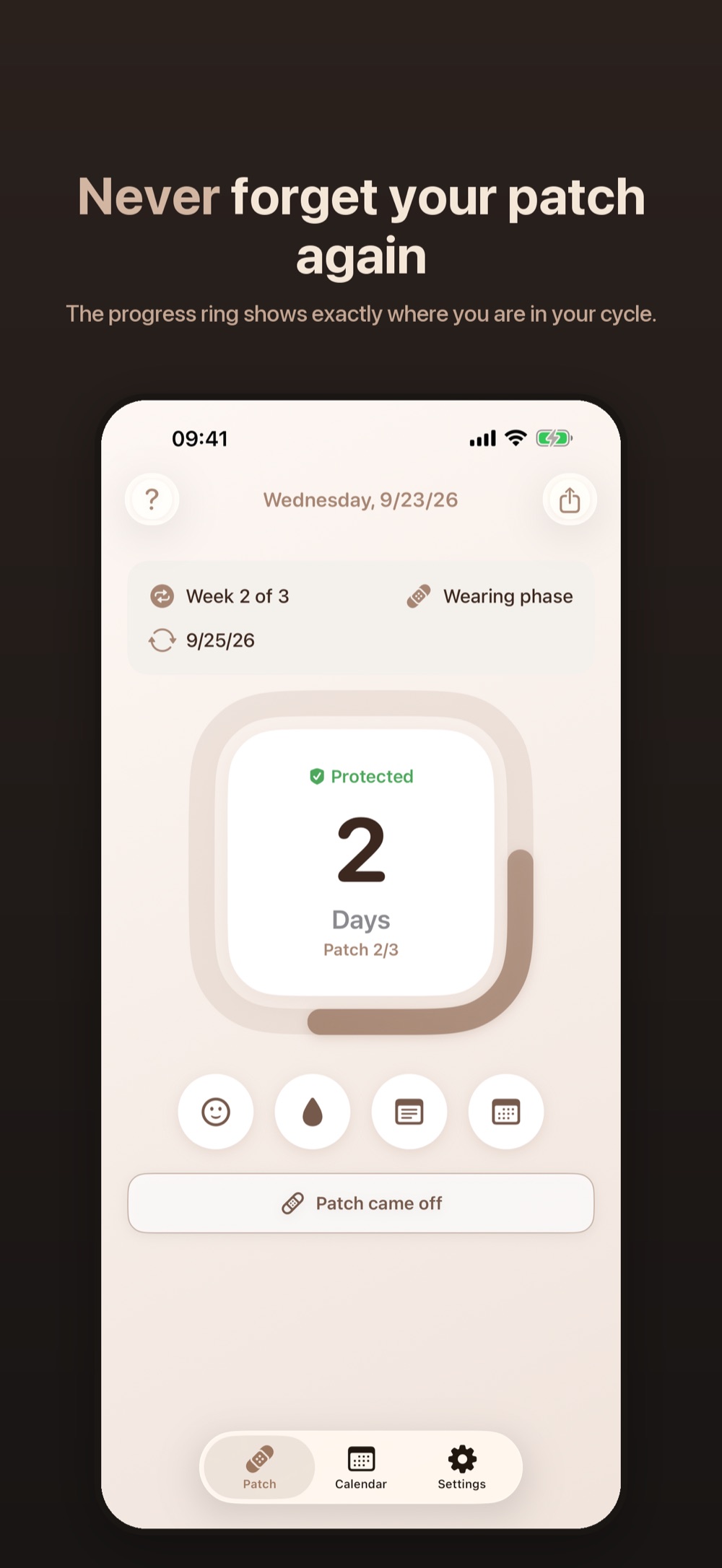
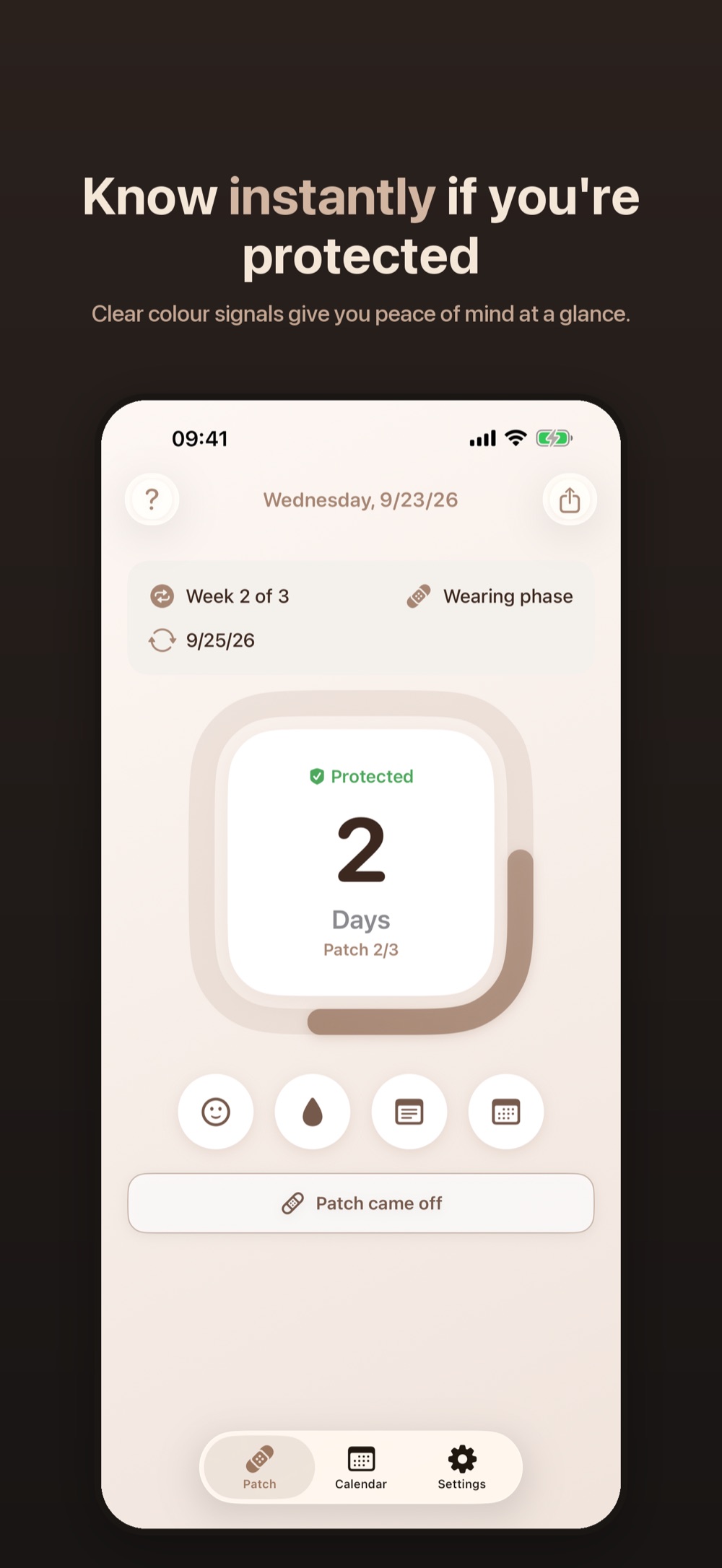
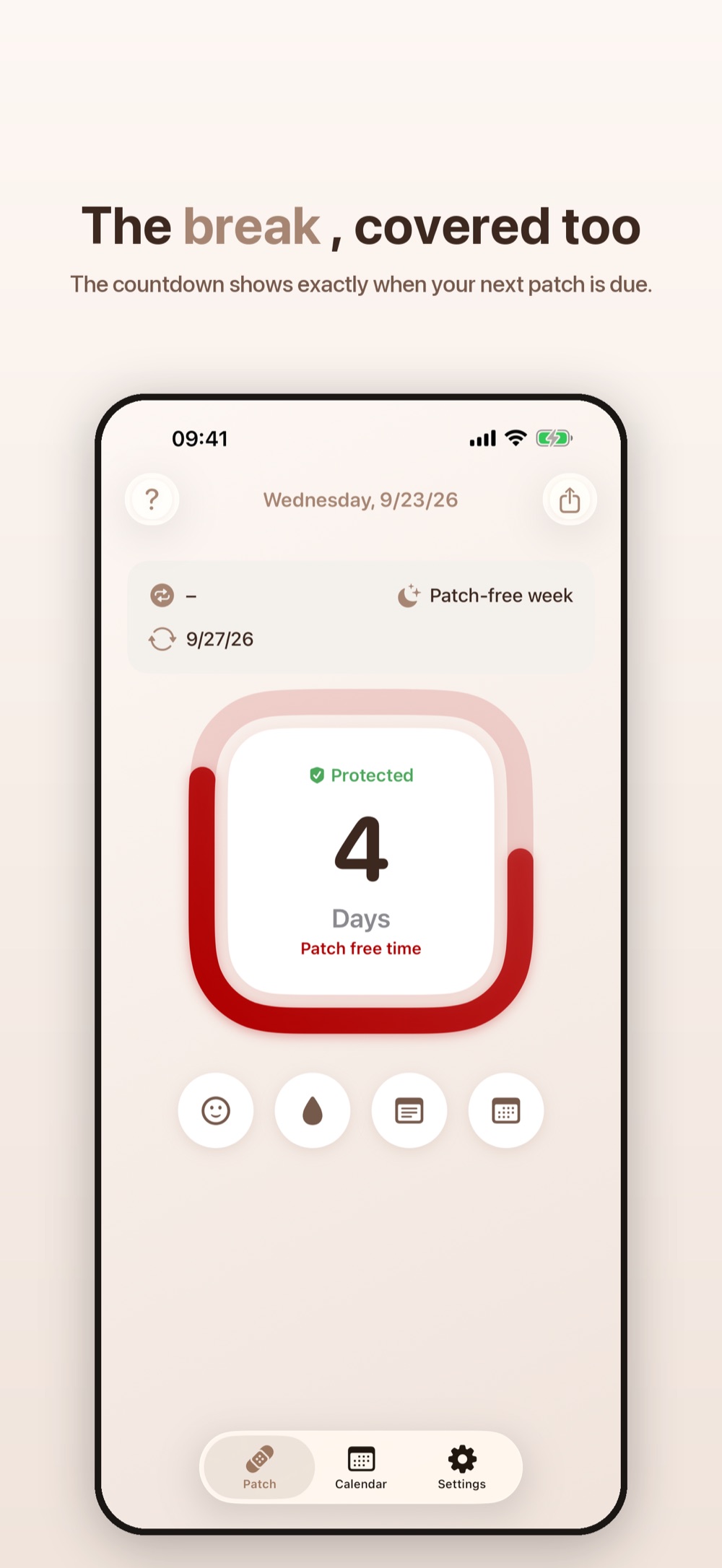
Protection in the ring
The progress ring counts down to your next patch action and shows right inside whether you’re protected — green when all is well, red when something needs your attention.
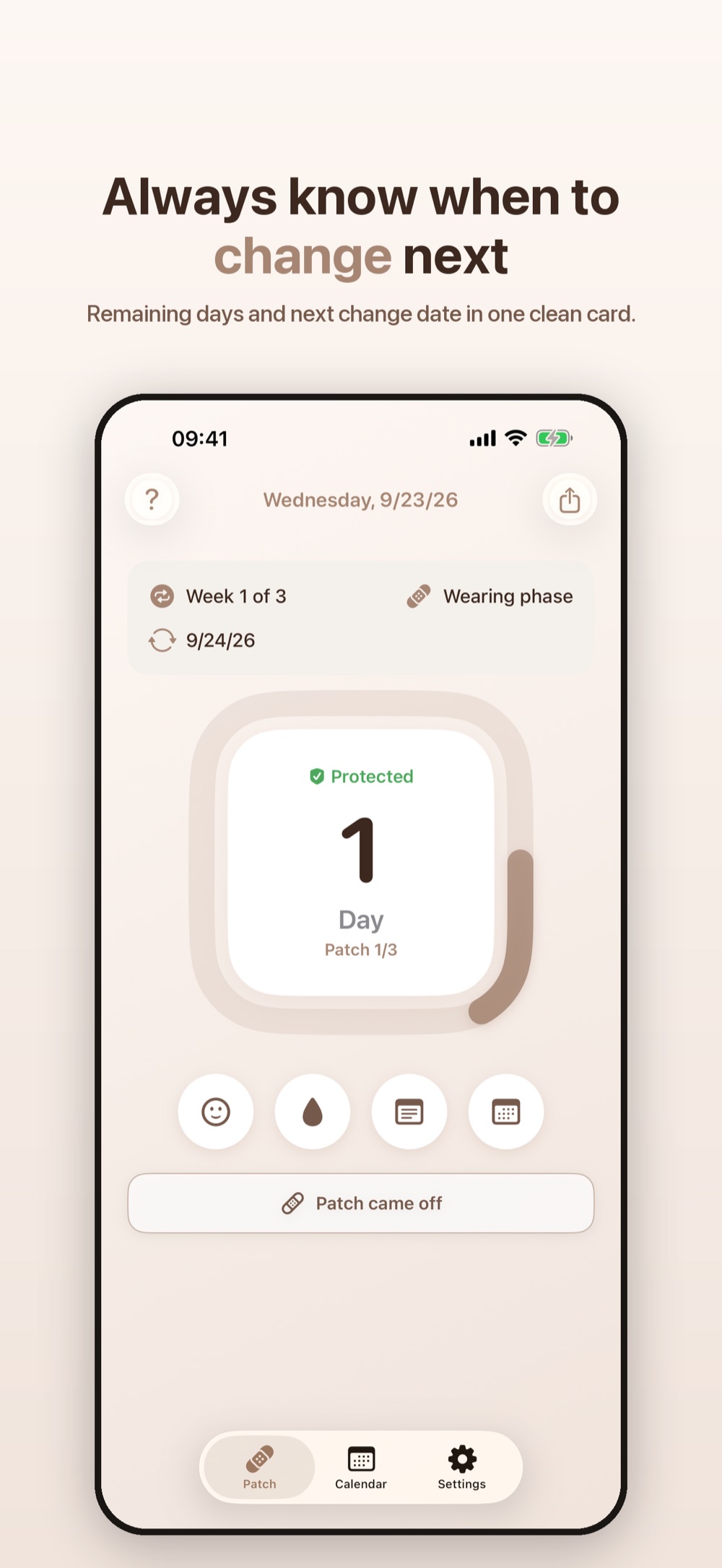
A reminder for every action
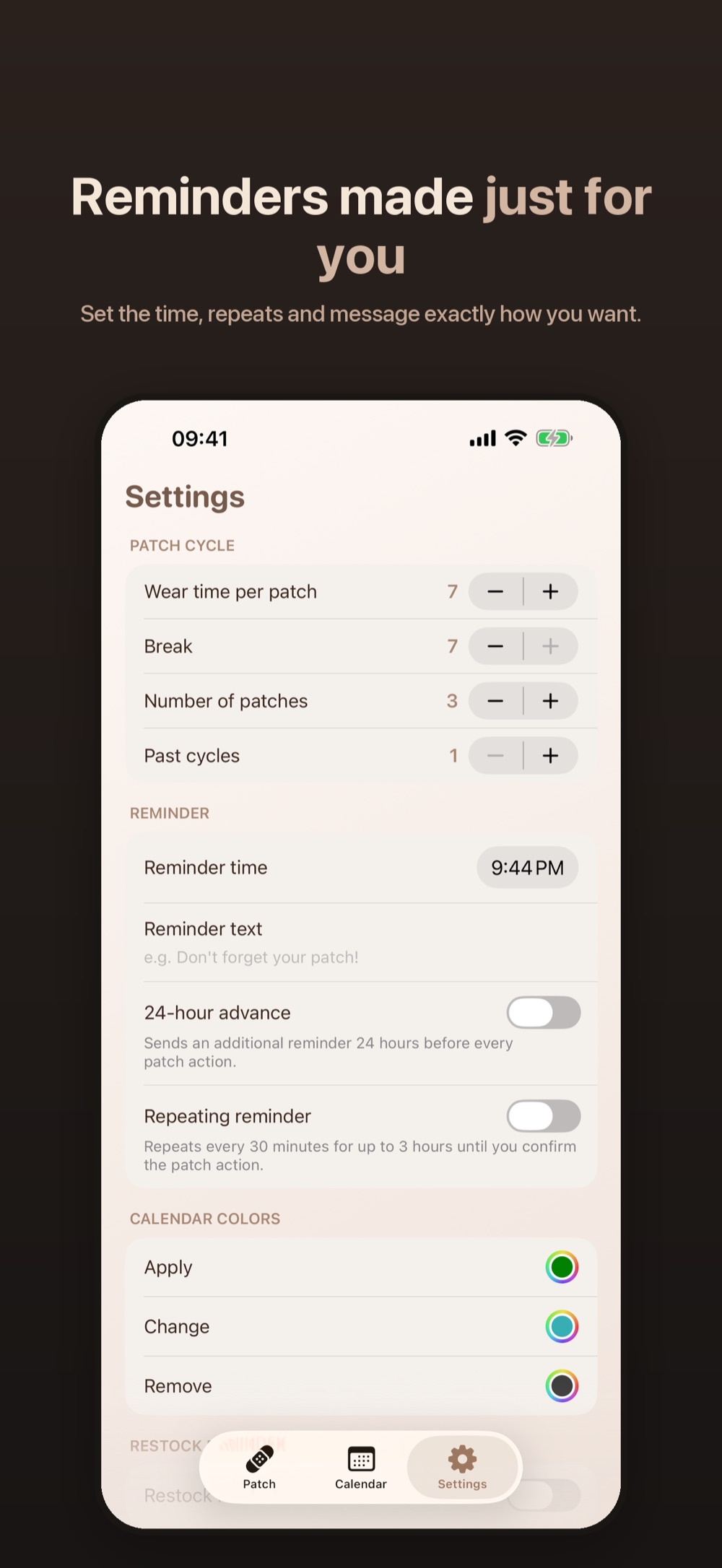
Apply, change, remove: MyPatch notifies you on the day, at your time. With Premium, add a heads-up the day before and follow-ups every 30 minutes until you confirm.
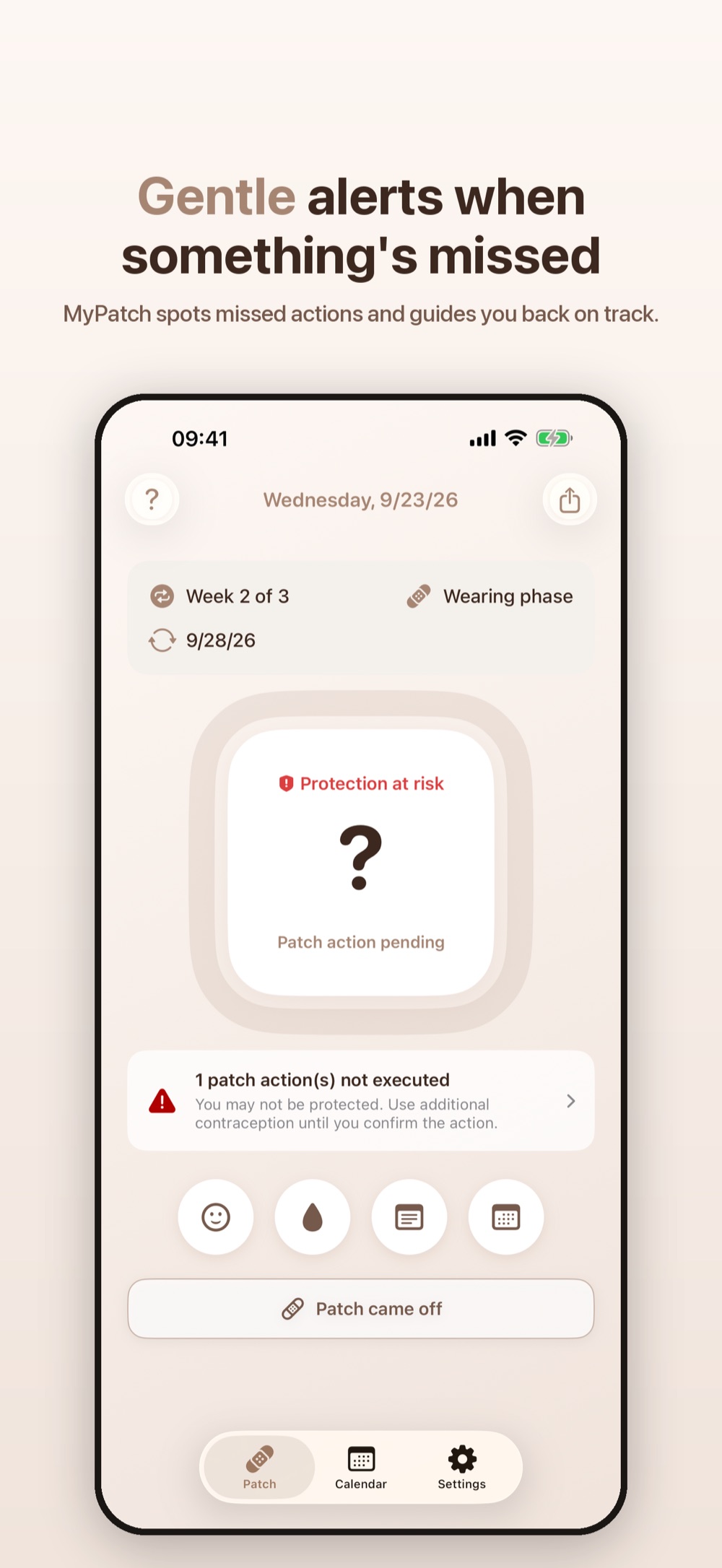
Help when a patch comes off
Tap “Patch came off” and say how long it’s been. Under 24 hours, your rhythm stays. At 24 hours or more, MyPatch starts a new patch month and counts down 7 days of backup contraception.
Missed a change? MyPatch notices
On the next launch MyPatch asks whether you did it anyway — and whether it was on time. If not, it walks you through the right rule for that day.
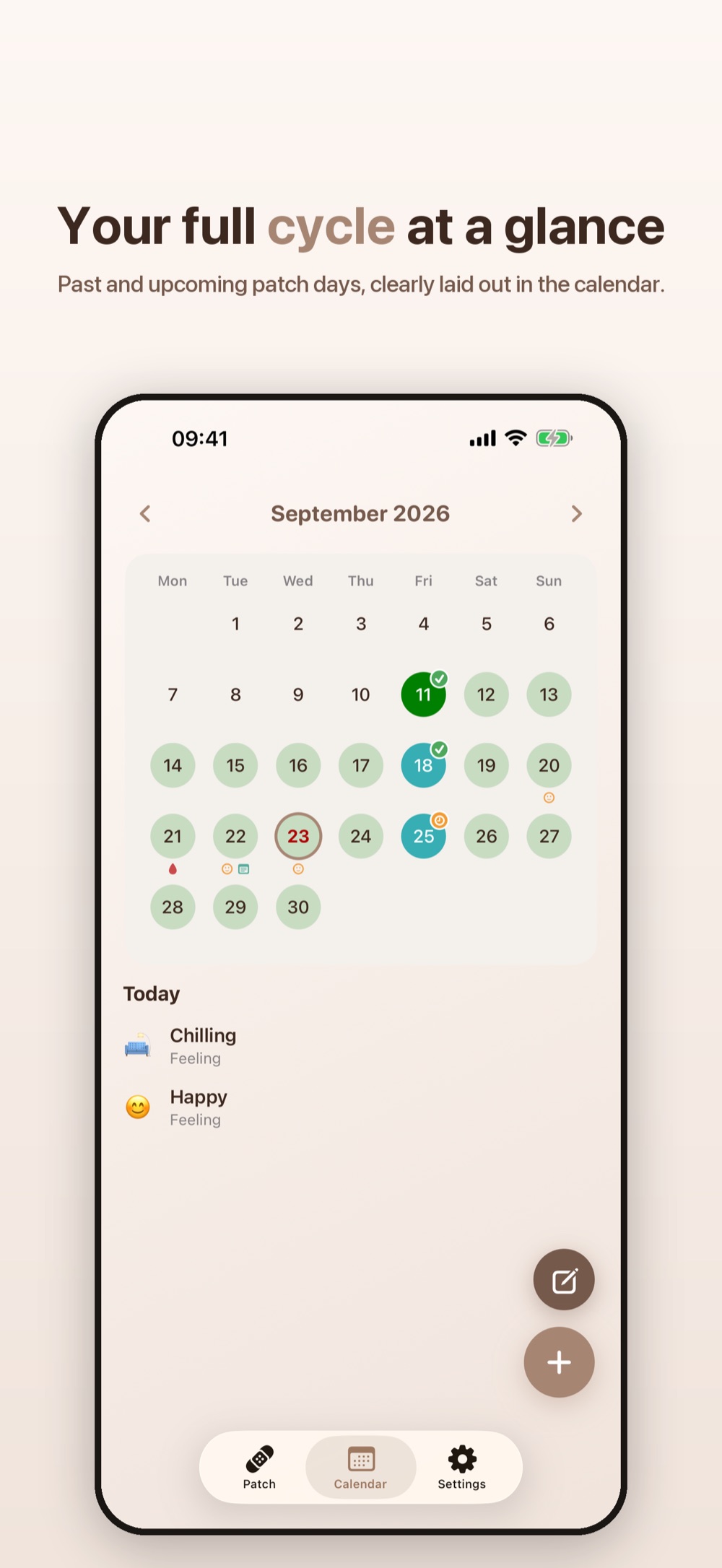
Calendar with diary
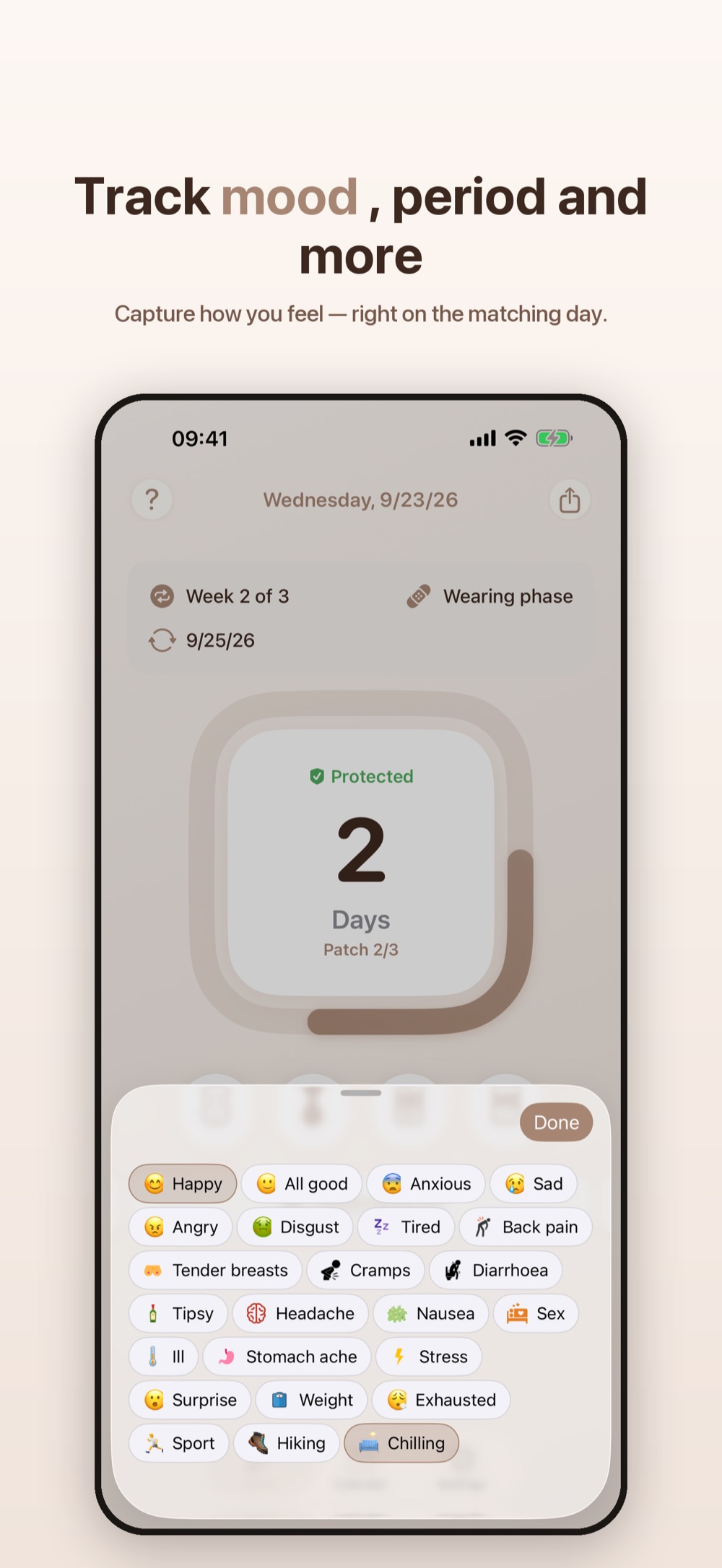
Past and upcoming patch days at a glance, patch-free days marked with a dashed red ring. With Premium, log mood, period, notes and appointments on the day they happened.
Stays on your iPhone
Your cycle and diary live only on your device. There is no MyPatch server and no account to create.
See it in action
A glance at the screens you’ll actually use every week.
Three weeks on, one week off.
This is how a classic patch month runs in MyPatch — the app always knows which step comes next.
-
Day 1
Apply patch 1
This weekday becomes your change day for the whole month.
-
Day 8
Change to patch 2
Same weekday, one week later. Only ever wear one patch.
-
Day 15
Change to patch 3
The last patch of this month.
-
Day 22
Remove, then 7 days off
The withdrawal bleed usually comes now. On day 29 the next month starts with a new patch.
Different prescription? Patch count, wear time (up to 9 days) and the length of the pause are adjustable in Settings. With Premium you can also edit a single cycle right in the calendar.
Free to start, Premium when you’re ready
Everything that matters for using the patch safely is free. Premium unlocks the rest.
Free
€0
- Reminders to apply, change and remove, at the time you pick during setup
- Progress ring with protection status
- Guidance for missed actions and detached patches
- Calendar for the next three months
- Restock reminder when your patches run low
- Custom calendar colours and dark mode
Premium
Monthly or yearly — local price shown in the App Store
- Diary: mood, period, notes, appointments
- Home Screen widget with ring and protection status
- Unlimited calendar and cycle editor
- Change reminder time and text at any time
- 24-hour advance and follow-up reminders
- No ads
Get MyPatch — and never miss a change day again.
Free to download, set up in two minutes, and your next reminder is already scheduled.
Frequently asked
Quick answers to the questions we hear most.
Is MyPatch a medical device?
No. MyPatch is a reminder and tracking tool. It does not diagnose, treat or prevent any condition, and it cannot replace the advice of your doctor or pharmacist. Use it alongside professional medical guidance, not instead of it.
Which patches does MyPatch work with?
MyPatch is made for weekly birth control patches such as Evra or Apleek: three patches worn for 7 days each, followed by a 7-day patch-free break. If your prescription differs, you can adjust the number of patches, the wear time (up to 9 days) and the pause in Settings.
What if my patch comes off?
Tap “Patch came off” on the overview. If it has been off for less than 24 hours, apply a new patch — your change day stays the same. If it has been 24 hours or more, apply a new patch right away: today becomes day 1 of a new patch month with a new change day, and you need a barrier method such as a condom for the next 7 days. MyPatch counts those days down for you.
What if I forget to apply, change or remove a patch?
On the next launch MyPatch asks whether you did it anyway and whether it was on time. If not, it shows the rule for that day: a late first patch starts a new cycle with 7 days of backup contraception; a change up to 48 hours late keeps your rhythm, more than 48 hours starts a new cycle with backup; a late removal just means removing the patch now. Always confirm these steps with your doctor or pharmacist.
What happens to my data?
Your patch cycles, diary entries and settings stay on your iPhone — there is no MyPatch server and no account. The app sends crash reports via Firebase Crashlytics, checks your Premium status with RevenueCat, and shows ads from Google AdMob in the free version. See the Privacy Policy for the full breakdown.
How much does Premium cost?
Premium is a monthly or yearly subscription. The price varies by country; the App Store shows it in your local currency right before you confirm. You can cancel any time in your Apple Account subscription settings.
Is there an Android version?
Not at the moment. MyPatch runs on iPhone with iOS 17 or later and is available in English, German, French, Spanish and Brazilian Portuguese.